


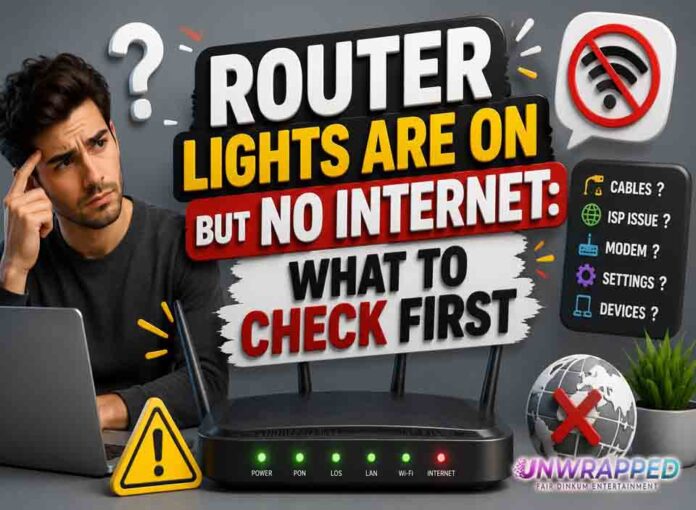
If you searched for “router lights on but no internet”, the useful answer is not just a colour chart. You need to know whether the light is normal, whether the internet is actually down, and what to check without making the problem worse. Router and modem lights are not perfectly standard across brands, so always match the colour to the label beside the light and the exact model. Still, the pattern below will solve most home cases.
Quick answer: If router lights are on but there is no internet, the Wi-Fi network may be working locally while the router, modem, account, or provider line has lost internet access.
What it usually means
This is one of the most common and confusing home internet faults. Wi-Fi and internet are not the same thing. A phone can connect to your router’s Wi-Fi name even if the router has no working path to the provider. Ethernet lights can blink because your device is talking to the router, while the router’s WAN or modem connection is still down. The best troubleshooting approach is to separate local Wi-Fi from the outside internet connection. The key is to separate three things: power, local Wi-Fi, and the connection to the provider. A router can broadcast Wi-Fi even when the modem or fibre box has no internet. Likewise, an Ethernet light can blink simply because traffic is moving, not because anything is wrong.
Common causes include: Provider outage or planned maintenance.; Modem online light is not stable.; Router has Wi-Fi enabled but no WAN address.; Payment, activation, or authentication problem.; DNS issue on the device or router.; Bad Ethernet cable between modem and router.
See Also: Router Red Light: What It Means and How to Fix It
Fix it in this order
- Test two devices, not just one phone or laptop.
- Try a wired connection if you have a laptop and Ethernet adapter.
- Look at the modem or ONT first; the router depends on it.
- Restart modem/ONT, wait until stable, then restart router.
- Check the provider app from mobile data.
- If only one device fails, restart that device and forget/rejoin Wi-Fi.
What not to do
Do not factory reset the router just because Wi-Fi connects without internet. A reset will not fix a provider outage. Also avoid changing advanced settings such as VLAN, PPPoE, bridge mode, or DNS unless you know why you are changing them. A normal reboot is safe; a factory reset is a last resort because it can erase Wi-Fi names, passwords, and custom settings.
When to get help
Contact support if the modem/ONT lights are abnormal, the provider app reports no equipment connection, or every device fails after a clean restart. When contacting support, give the exact device model, the light label, the colour, whether it is solid or blinking, and how long it has been happening. That detail is far more useful than saying only that the router is broken.
FAQ
Q: Why does my phone say connected without internet?
A: It sees the router’s Wi-Fi network, but the router cannot reach the internet.
Q: Can DNS cause this?
A: Yes. If only websites fail but apps or pings work, DNS settings may be involved.
Q: Is this a router problem?
A: Maybe, but modem sync, provider outages, and cables are more likely first checks.
Another Must-Read: Router Blinking Green Light: Normal Activity or Problem?