



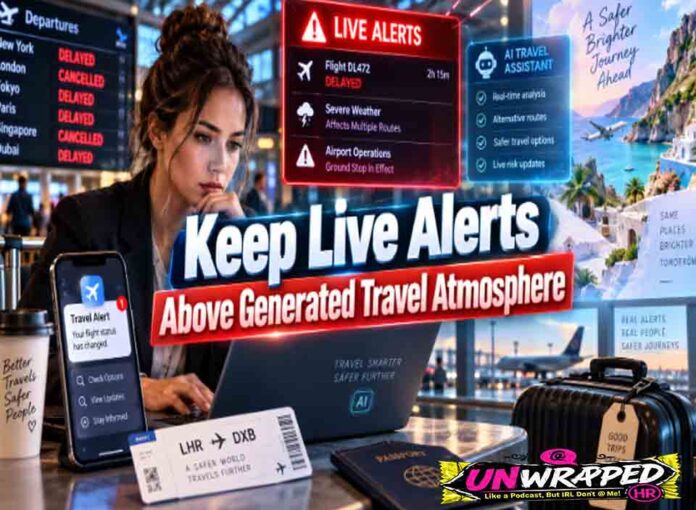
A travel-safety video can become wrong while it is still being shared. A fire boundary moves, a road closes, or an evacuation centre changes. The background clip remains dramatic and the old alert card keeps circulating because it was baked into the same export.
The safer design separates the alert clock from the visual plate. The official warning, place, effective time, source, and action stay in a live replaceable layer. An AI Video Generator may supply neutral atmosphere, but it never becomes the warning.
An alert-overlay boundary makes that division testable. It shows which pixels may be reused, which facts must be replaced, and how quickly a team can correct every channel when conditions change.
Separate the Alert Clock from Visual Context
Start with the authoritative alert feed used by the publisher. Record the issuing body, warning type, affected area, issue time, effective period, recommended action, source link in the internal record, and the person responsible for updates. Do not convert a forecast, watch, warning, and evacuation order into one generic danger label.
Lock Time Place and Required Action
Every public version needs a visible timestamp and place scope. “Current” is not a time. A regional name may be too broad when only one road corridor or park zone is affected. The action must match the alert: monitor updates, avoid travel, leave now, or follow local instructions.
Keep the official map or boundary in its own source-controlled asset. Never ask generation to redraw an evacuation zone, route, road closure, wind direction, shelter location, or fire edge. A plausible map error can send a traveller toward the hazard.
Define the Reusable and Replaceable Alert Layers
The visual plate may show a neutral suitcase, parked vehicle, empty road texture, or abstract heat and smoke colour. The live layer holds the alert type, location, time, source, map, and action. Audio facts belong to the replaceable layer too.
Make a sample card with deliberately awkward content before choosing the plate: a long council-area name, two-line action, visible issue time, and source mark. If the design works only with “Fire warning” and a short town name, it is not ready for the real alert feed.
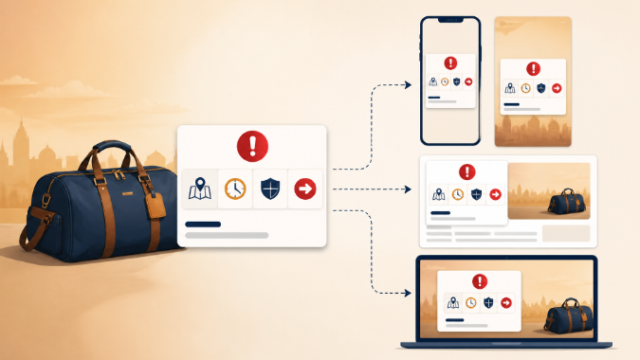
| Layer | Reuse rule | Immediate failure |
| Atmosphere plate | Reuse only when it names no event | Recognisable road, town, map, or fire claim |
| Alert card | Replace on every source update | Missing issuer, place, time, or action |
| Map panel | Use the current official derivative | Generated or manually guessed boundary |
| Voice track | Regenerate when any alert fact changes | Old instruction under a new card |
Create a Plate Without Safety Claims
A reusable plate must avoid details that viewers could mistake for current conditions. Do not show a named highway, distinctive town entrance, real emergency uniform, evacuation convoy, active flame front, official logo, map, direction sign, or readable warning.
Prepare a Neutral Source and Prompt
Choose text-to-video for a generic conceptual scene or image-to-video when a cleared neutral design needs light movement. MakeShot currently provides multiple model routes and may expose reference or frame controls on supported paths. Check the live route before deciding what can remain fixed.
A bounded request could read: “Create slow drifting haze over an abstract warm gradient behind an unmarked travel bag. Keep the bag closed and stationary. Add no roads, maps, landmarks, fires, vehicles, people, uniforms, signs, text, arrows, weather symbols, or emergency action.”
Generate and Reject Event-Looking Detail
Generate one candidate and save the input, selected route, settings, and output identifier. Review it before adding any alert. Reject scenery that resembles a real location, smoke that appears to prove local fire conditions, or people whose actions look like an evacuation.
Keep the MakeShot output in a plate library only after this review. Tag it by visual content rather than by a real emergency. A file named after a town or fire can be mistaken for event footage when it moves into a busy newsroom folder.
The second AI Video Generator check happens with a blank overlay box in place. Make sure motion does not cross the map, timestamp, source, or action zones. The alert must remain readable without asking the generated scene to quiet down.
Keep music and dramatic sound outside the safety decision. Sirens, panicked crowds, aircraft, or crackling fire can imply conditions the live alert does not report. A neutral tone or no sound may be more accurate.
Stress Test Every Alert Delivery Channel
Build the exact formats used by the article page, mobile story, social card, vertical reel, newsletter, and display screen. Use a deliberately long place name and the longest likely action. The plate passes only if the live layer stays readable in every crop.
Run a Timed Alert Replacement Drill
Change the warning type, affected area, issue time, action, map, and voice track with a fictional test update. Measure which exports require manual rebuilding and which destinations keep cached copies. The drill reveals whether the claimed correction path actually works.
Assign an owner to the article, social post, newsletter, archive, and partner feed. A central asset replacement may not update an exported reel. Record each destination and confirmation time in the alert manifest.
Run the same drill after the original editor signs out. A correction path that depends on one person’s browser session, local font, or hidden template is not a newsroom process. Store the editable overlay and replacement instructions where the duty editor can reach them.
Compare Card Audio Map and Caption
Read the visible card, voice track, map, caption, alt text, and article introduction side by side. They must share the same issuer, place, issue time, and action. A new card over old narration is a correction failure.
Test with sound off and with the image hidden. Travellers may encounter only captions or only audio. Each mode should identify the dated source and direct the viewer to current official information without treating the clip as the source of truth.
Use pass, repair, expire, or withdraw. Repair covers a bounded layout or export fault. Expire removes a superseded warning from active surfaces. Withdraw covers an unsupported map, wrong instruction, ambiguous location, or generated detail presented as current evidence.
Release a Correctable Travel Warning Package
The package should contain the source alert snapshot, official map derivative, alert-overlay specification, neutral plate, MakeShot generation record, live card, voice script, captions, alt text, channel exports, owner list, expiry rule, and correction log.
Display the source and issue time next to the video, then tell readers to check the current official alert before travelling. Do not let autoplay, cropping, or syndication hide that instruction.
Set an automatic review or expiry time based on the publisher’s alert policy, then confirm the item actually leaves active surfaces. An old card can remain discoverable in search, embeds, or cached social previews long after it disappears from the homepage.
Generated atmosphere can make a safety card easier to notice, but it should remain disposable. The alert is the live layer. When the facts move, the team must be able to replace every claim without rebuilding or defending the background video.