



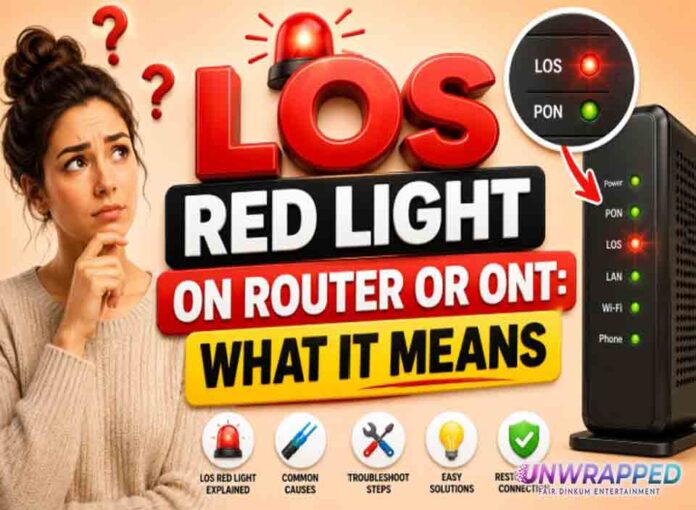
If you searched for “los red light router”, the useful answer is not just a colour chart. You need to know whether the light is normal, whether the internet is actually down, and what to check without making the problem worse. Router and modem lights are not perfectly standard across brands, so always match the colour to the label beside the light and the exact model. Still, the pattern below will solve most home cases.
Quick answer: A red LOS light usually means Loss of Signal on a fibre connection, which often points to an optical line, ONT, activation, or provider-side fault.
What it usually means
LOS is a serious fibre warning compared with normal traffic blinking. It often means the ONT cannot see the optical signal it expects from the fibre network. Some equipment labels the same class of issue as Optical red or Alarm red. nbn guidance for FTTP says a red Optical light means the connection box has lost connection with the nbn network, and a red Alarm light means the box has a fault and is not working normally. The exact label differs, but red on fibre equipment usually deserves attention. The key is to separate three things: power, local Wi-Fi, and the connection to the provider. A router can broadcast Wi-Fi even when the modem or fibre box has no internet. Likewise, an Ethernet light can blink simply because traffic is moving, not because anything is wrong.
Common causes include: Fibre signal is lost outside the home.; Optical lead or wall box is damaged.; Service has not been provisioned correctly.; ONT has a fault or no proper power.; Area outage or network maintenance.; Cable was bent sharply or disturbed during cleaning or moving furniture.
Fix it in this order
- Check that power is on and the ONT is not switched off.
- Look for obvious loose Ethernet or power cables.
- Do not stare into or open optical connectors.
- Restart only if your provider recommends it.
- Use mobile data to check outages and account status.
- Send support a photo of the lights if available.
What not to do
Do not bend fibre tightly or try to repair optical cable yourself. That can make the fault worse and may be unsafe for the equipment. Also avoid changing advanced settings such as VLAN, PPPoE, bridge mode, or DNS unless you know why you are changing them. A normal reboot is safe; a factory reset is a last resort because it can erase Wi-Fi names, passwords, and custom settings.
When to get help
Report the fault immediately if LOS remains red after confirming power, especially if the service was working before. When contacting support, give the exact device model, the light label, the colour, whether it is solid or blinking, and how long it has been happening. That detail is far more useful than saying only that the router is broken.
FAQ
Q: Can a red LOS light fix itself?
A: Sometimes if it is a temporary outage, but persistent LOS normally needs provider investigation.
Q: Is LOS caused by Wi-Fi?
A: No. LOS is about the incoming fibre signal, not your Wi-Fi settings.
Q: Should I factory reset my router?
A: No. Router reset rarely fixes optical loss of signal.
See Also: PON Light Blinking: What It Means on Fibre Routers and ONTs